Welcome to
Peter E. Randall Publisher's Town History Herald, an e-newsletter for groups and individuals who are planning a history related book project
|
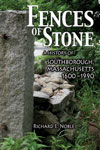
Fences of Stone, A History of Southborough, Massachusetts 1600-1990 by Richard E. Noble.
Reprinted in 2008. Now available in Paperback!
Read more at the website. |
|
|
|
Writing Your Manuscript, Part 2, Technical Requirements
By Deidre Randall, CEO
Learn the technical requirements of manuscript formatting and submission.
Raw manuscripts are often created without clear guidance from a publisher on formatting and so authors make more work for themselves, or for the publisher, without meaning to. It is important to keep things simple when creating a word processing document. Your manuscript may need to be completely reformatted and valuable information lost, if you embed images, use many different fonts, or attempt to set it up in a "book" format. While some publishers use Macintosh computers most of the rest of the world uses PC computers. In the event that the file needs to be translated it is more likely to translate smoothly, without any glitches, if you keep it simple. When in doubt, talk with your publisher beforehand, so you set it up correctly and save yourself time down the road.
Here are some rules of thumb to use when typing your manuscript:
Keep it simple. Use one font, such as Times New Roman or Arial. This will be easy to change later by the publisher.
Keep tabs and returns to a minimum, and place only one tab between columnar items. Don't spend time trying to make information line up correctly in a Word document. Tabs will be redefined when the document is imported into the professional page layout program. This will save you time, and relieve the publisher from extra time spent deleting the multiple and extraneous tabs. Remember to place hard returns ONLY at the ends of paragraphs and after headings. Don't try to fix line endings or hyphenations by placing hard returns in the middle of paragraphs. Because your document will be reformatted using a book font in a professional layout program, line endings will change, but paragraphs will not. Don't try to fix spacing issues by adding extra spaces, returns, tabs, page breaks, changing margin indents, or other formatting.
Don't try to adjust your Word document to look like the finished pages of a book. Doing this just makes the publisher's job more difficult and is more time consuming for the author, and for the publisher.
Another problem involves embedding images into a document. These images then have to be manually removed from the document when it's time to flow the information into the layout program. It's best to put a note of which image should be placed in that spot, rather than the image itself. Use an image number for the note. That note should have an extra line space (return) before and after it, and perhaps be in all capitals, so it stands out for the designer, when they are searching. The image reference in your text might look like this:
****[IMAGE NUMBER 1-1 GOES HERE]****
Using the same numbers for the captions is important, so they match the image numbers and can be added in accurately. Place all image captions in a separate file, not within the text of your chapter files, and use the same numbering system as the images.
Finally, when you are writing the manuscript it's a good idea to save the document using the "save as" function, giving it a new name. Sometimes the regular "save" function doesn't result in a clean save and some old information can remain in your file that you thought you had deleted. Using "save as" from the File dropdown menu ensures that the file is clean and more likely to be trouble free. You can simply add a number at the end of the file name, so that as the numbers go higher you can see which is the most current version of your document. You may also wish to keep only one previous version, and discard the older files, so that there is no confusion about which file you are working with currently. Always keep a backup copy for yourself. Check that the proper file extension appears at the end of the file name -- either .doc for Word documents, or .rtf for Rich-text format.
When you submit your document, burn it to a CD and print it out. Send both to your publisher. You could also email the document to your publisher, if the file isn't too large. Taking the time to format your manuscript properly makes the publication process much more accurate and it saves on the design cost.
We welcome calls from, or meetings with, authors early on in the writing process, so that we can offer guidance that will save time and money in the long run.
Coming next issue of Peter E. Randall's Town History Herald: Writing Your Manuscript: Part 3, Copyediting.
We'll discuss the process of professional copyediting and explain why it's important. We will also share some simple steps that an author can take to make the copyediting process work more smoothly and improve the quality of your manuscript.
<< Return to Previous Page
|
|
|

